A route is one scheduled flow of backup data between your machines — sources, a target, its own time, its own retention. List each Proxmox host and each backup server once, then wire them together however your setup actually looks.
Backup02:00 · every day
pve-alphapve-beta→pbs-01
One or more Proxmox hosts into a backup server. Several hosts can fan into one — they share the wake window, so the box comes up once for all of them.
Sync05:00 · Sundays
pbs-01→pbs-02
One backup server into another, pull or push — a genuine off-site second copy, on a box that only wakes for the sync and sleeps again after.
Externalon its own schedule
pbs-03·watched
For setups already scheduled natively on Proxmox. Joulenap starts nothing: it wakes the box, watches the jobs PVE and PBS run themselves, and powers it off once they go quiet.
Verify03:00 · 1st of the month
pbs-01·checked
Checks that what is already stored can still be restored — worth knowing before you need it, and it costs one wake.
Every backup server keeps its own credentials, wake-up settings and power-off method — including ones you leave powered on all the time.
Get running
One command. No files to download.
The container creates its own config on first boot — you finish setup in the browser. Guided wizards add each Proxmox host and each backup server, and can create the scoped API tokens and install the power-off key for you.
# pull & run — Docker grabs the image from Docker Hub
docker run -d --name joulenap \
  --restart unless-stopped \
  --network host \
  -e TZ=Etc/UTC \
  -v /opt/joulenap/data:/app/data \
  catubba/joulenap:latest

# → open http://<your-ip>:8080 and run the setup wizard
1 Create a small LXC2 Install Docker3 Run the command4 Open the wizard
When a route runs
Off by default. Awake only when it matters.
Joulenap owns its own schedule and drives the whole cycle over the Proxmox APIs — nothing on your Proxmox hosts is modified.
01
Wake
A magic packet to every backup server the route touches, then waits for each to answer.
02
Run
Back up, sync, verify — or just watch, if the servers schedule themselves. Then retention and GC.
03
Power off
A clean shutdown, once nothing else still needs the box.
04
Notify
Success or failure on your channel, naming the route it was.
What you get
A friendly UI around a job you'd otherwise script by hand.
Queue + power lease
One run at a time, the rest queued — and a server stays awake between two runs that both need it, instead of being woken twice.
Wake-on-LAN
Wakes each backup server itself, waits for it to be ready, and retries on a timeout. Boxes you keep always on are supported too.
Per-source guest selection
Pick the CTs and VMs per Proxmox host — all of them, new ones included automatically, or an explicit list resolved live at backup time.
Retention + GC + verify
Keep last/daily/weekly/monthly/yearly, garbage collection, and optional verify — per route, while the box is awake.
Notifications
Telegram, ntfy, email, Discord and 100+ more via Apprise — on success or failure, naming the route.
Live log + manual runs
Watch real vzdump/GC output stream, run any route on demand — or a one-off GC or verify on a single box. Stop a stuck run and it's cancelled on the Proxmox side too.
Run history
Every run broken down into steps — wake, backup, GC, verify, power off — with durations, outcomes and logs, per route.
Dashboards & metrics
Status on Homepage, Homarr, Dashy or Glance via a read-only API, plus Prometheus metrics for Grafana, labelled per route and per server. Scraping never wakes a box.
Private by design
No outbound requests, self-hosted fonts, update check strictly opt-in. English + Italian, dark & light, works on your phone.
Why it exists
Second machines on 24/7 for jobs that run a few minutes a night.
A dedicated backup server is the right way to keep backups on separate hardware — the 3-2-1 rule. But leaving it running around the clock burns power for nothing, and Proxmox's built-in schedules assume the target is always reachable, so they can't drive a wake-then-sleep cycle. Nor can they drive one for a second backup server that only comes up once a week to take an off-site copy.
Joulenap fills that gap: a joule saved, while your backup servers take a nap. 💤
~23 h/day
powered off, in a typical nightly setup
Always-on PBS24 h/day
With Joulenap~1 h/day awake
Backups keptidentical
Illustrative — actual savings depend on your backup window & hardware.

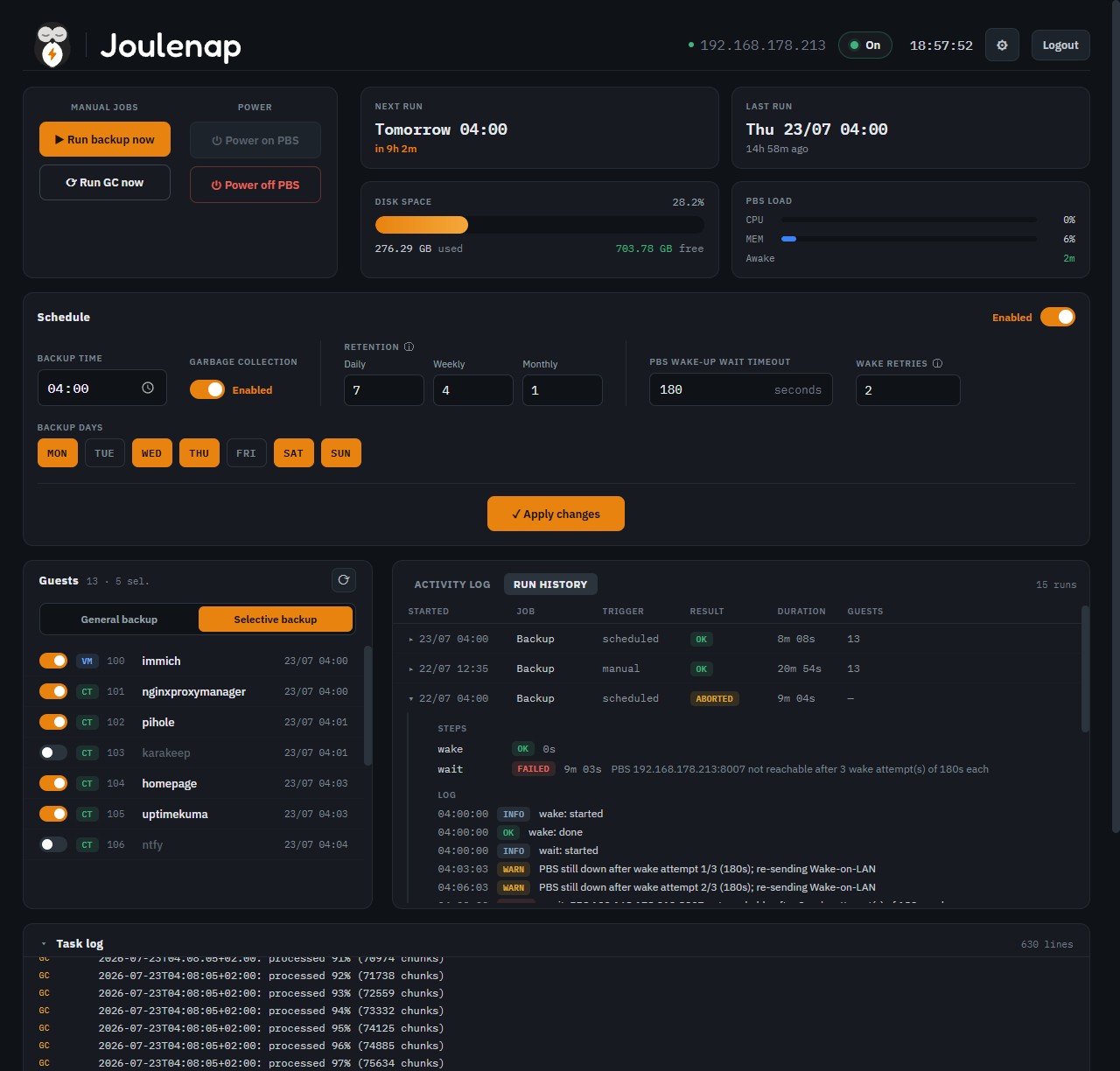 This is the real UI — open the live demo →